Custom File System
Note: when you update the file system, existing files in the system (including original files for all sections/documents, converted markdown files, and all static assets) will not be migrated to the new file system automatically. You must migrate them manually. Switching file systems is a high-impact operation, so it is recommended to set this after account creation and avoid switching later.
Revornix supports custom storage locations. The following options are currently supported:
- Built-in Minio service
- Aliyun OSS
- Generic S3-compatible services
- Amazon S3

How to add
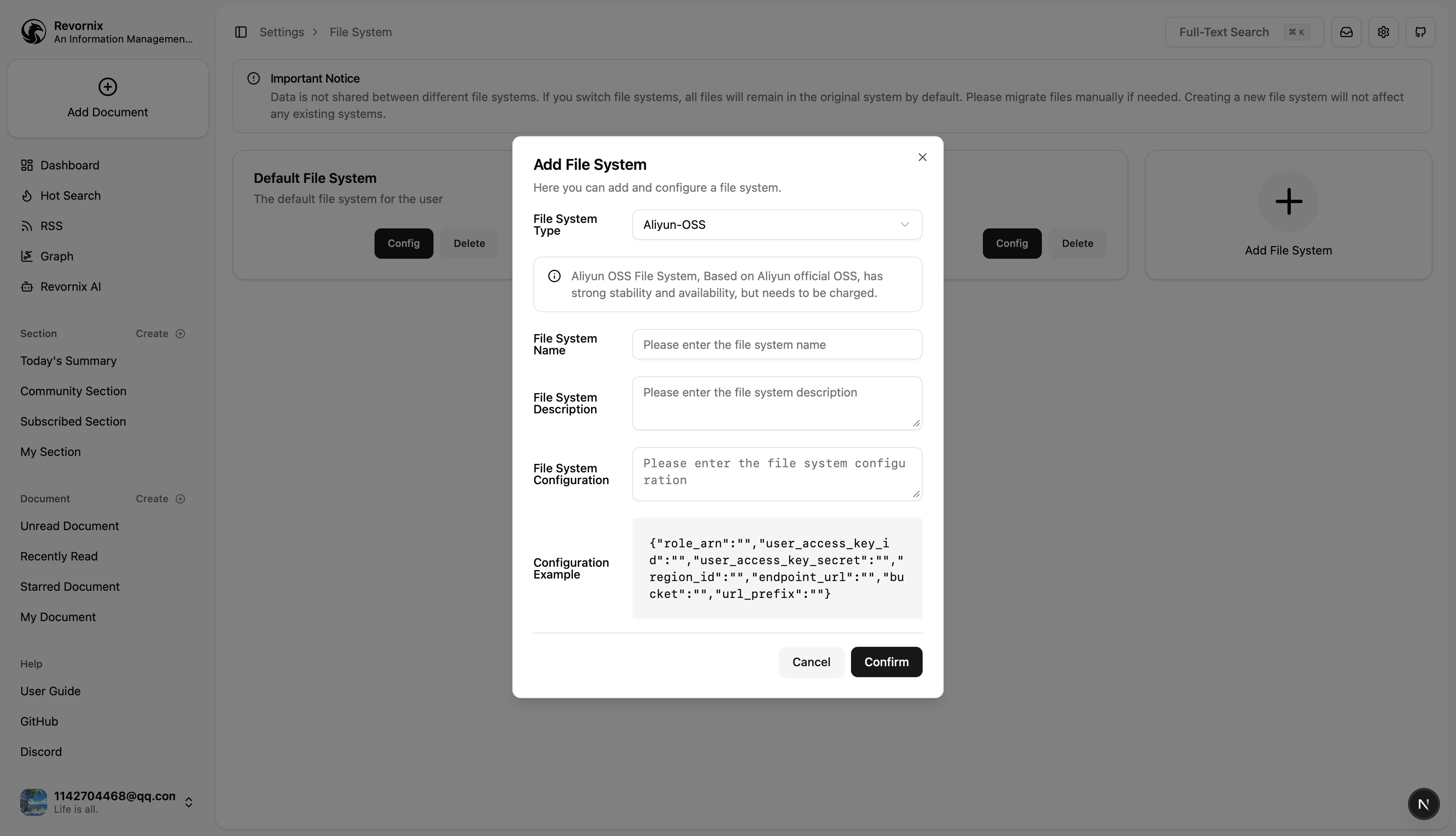
Adding a file system is simple: go to Settings, then in the file settings group click the Manage button next to My File System to open the file system management page. Click Add File System to add a new one.
Configuration details
Built-in Minio service
This is the default Revornix storage behavior and requires no configuration.
Aliyun OSS
This storage method uses STS authorization to ensure least privilege. For Aliyun STS details, see the official docs: https://help.aliyun.com/zh/oss/developer-reference/use-temporary-access-credentials-provided-by-sts-to-access-oss
Steps
Creating a bucket in Aliyun OSS is straightforward, so the steps are omitted here. Just make sure public read access is enabled.
- Create a user
Based on least-privilege, this user only needs permission to assume an STS temporary role. See step 5 for details.
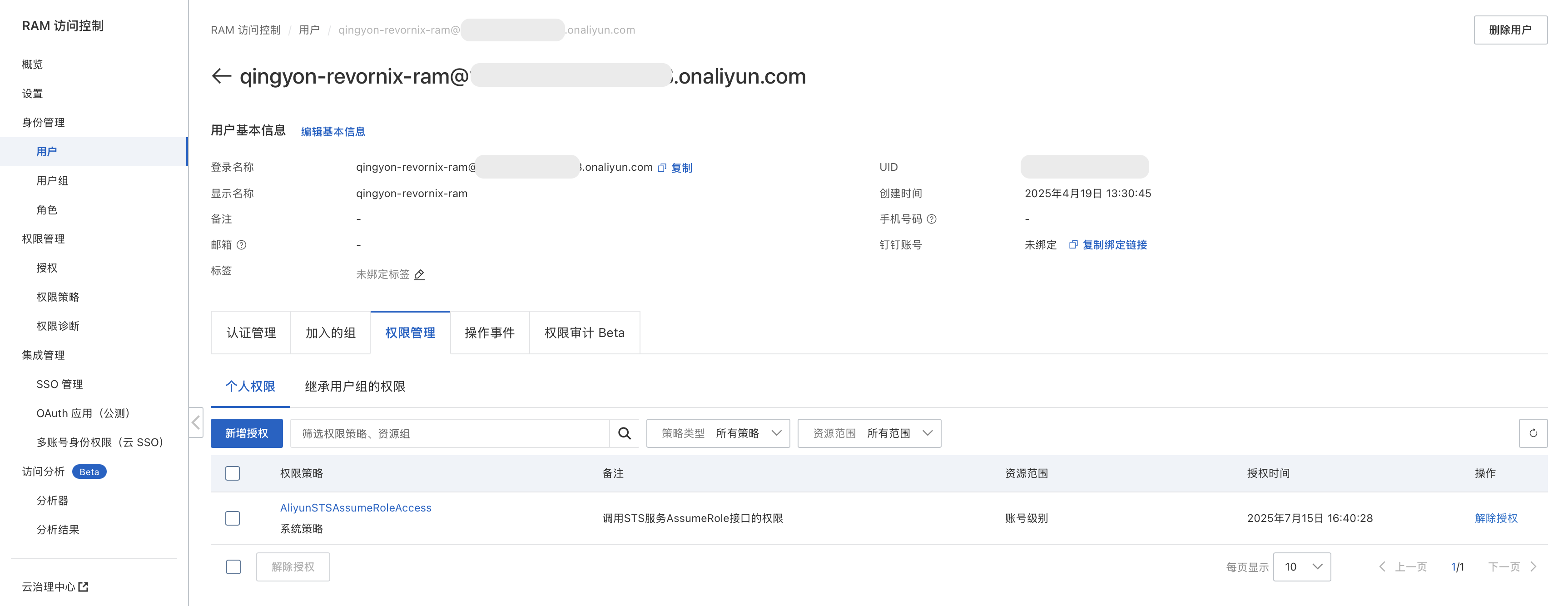
- Create a role
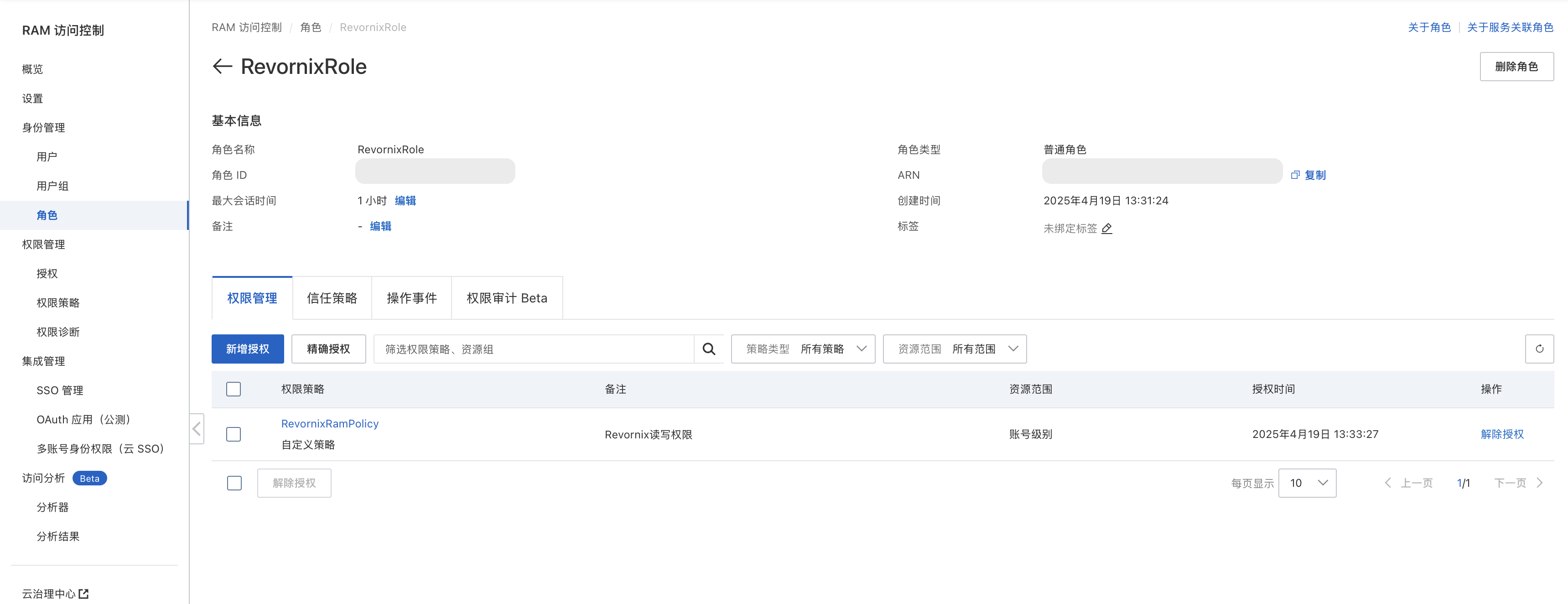
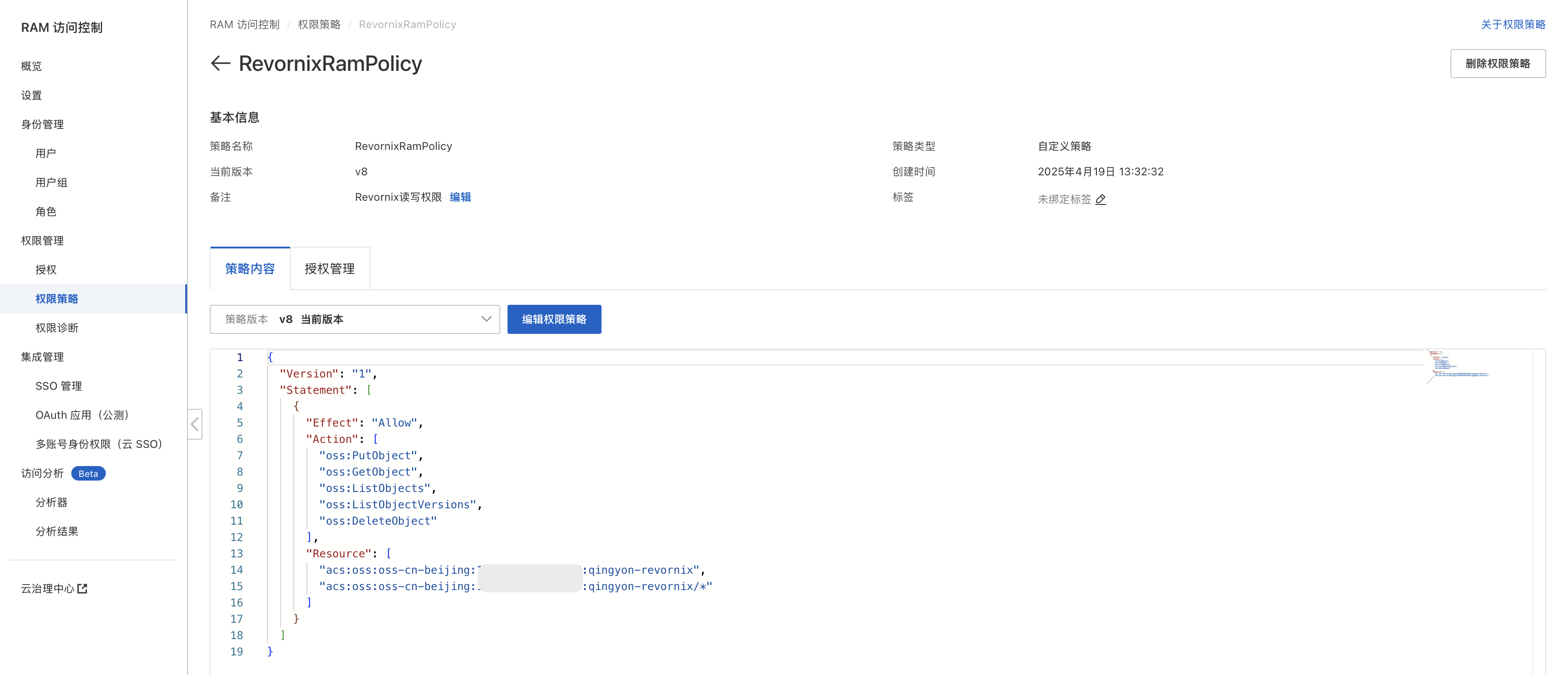
- Create a policy
Match the permissions and resource group in the image to your own bucket and user. Missing permissions will cause failures.
-
Attach the policy to the role
-
Grant the user permission to assume the role

Aliyun storage parameters in Revornix
| Parameter | Type | Description |
|---|---|---|
| user_access_key_id | string | Aliyun AccessKeyID, available in the Aliyun console |
| user_access_key_secret | string | Aliyun AccessKeySecret, available in the Aliyun console |
| role_arn | string | ARN of the assumed role |
| region_id | string | OSS bucket region ID |
| endpoint_url | string | OSS bucket endpoint URL |
| bucket | string | OSS bucket name, see bucket details at https://oss.console.aliyun.com/bucket |
| url_prefix | string | Public access URL prefix, see bucket details at https://oss.console.aliyun.com/bucket |
Amazon S3
This storage method uses STS authorization to ensure least privilege. For AWS S3 setup, see this Medium article: https://bharat-singh-06.medium.com/access-s3-bucket-through-sts-security-token-service-f6c613b5db5f
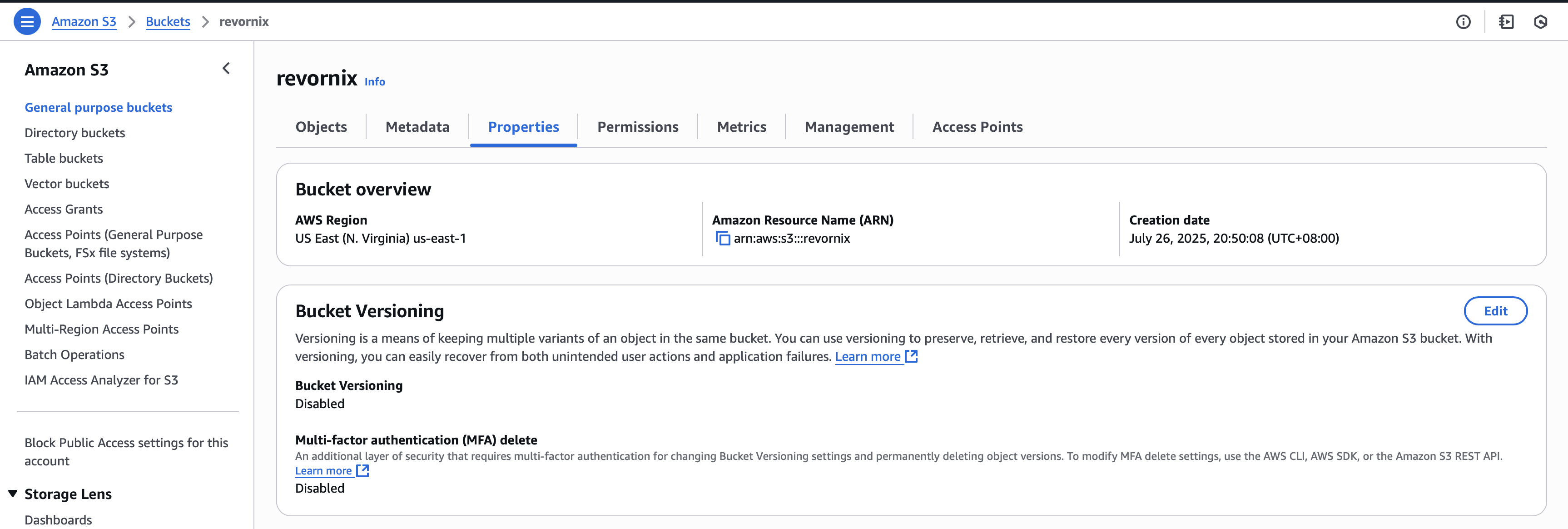
Steps
Creating a bucket in AWS S3 is straightforward, so the steps are omitted here. Make sure Permissions are configured correctly. Use the following configurations:
Bucket policy
{
	"Version": "2012-10-17",
	"Statement": [
		{
			"Sid": "Statement1",
			"Effect": "Allow",
			"Principal": "*",
			"Action": "s3:GetObject",
			"Resource": "arn:aws:s3:::your_bucket_name/*"
		}
	]
}
CORS
[
	{
		"AllowedHeaders": ["*"],
		"AllowedMethods": ["POST", "GET"],
		"AllowedOrigins": ["*"],
		"ExposeHeaders": ["ETag"],
		"MaxAgeSeconds": 3000
	}
]- Create a user
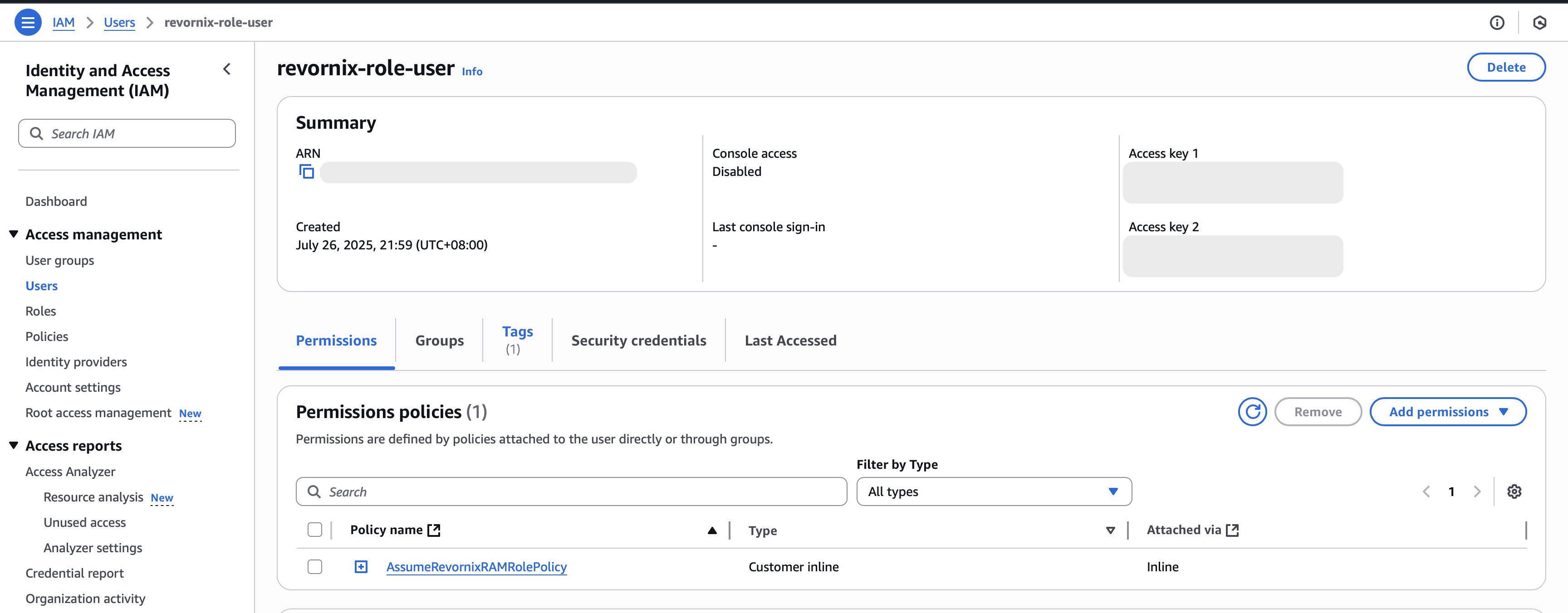
- Create a role
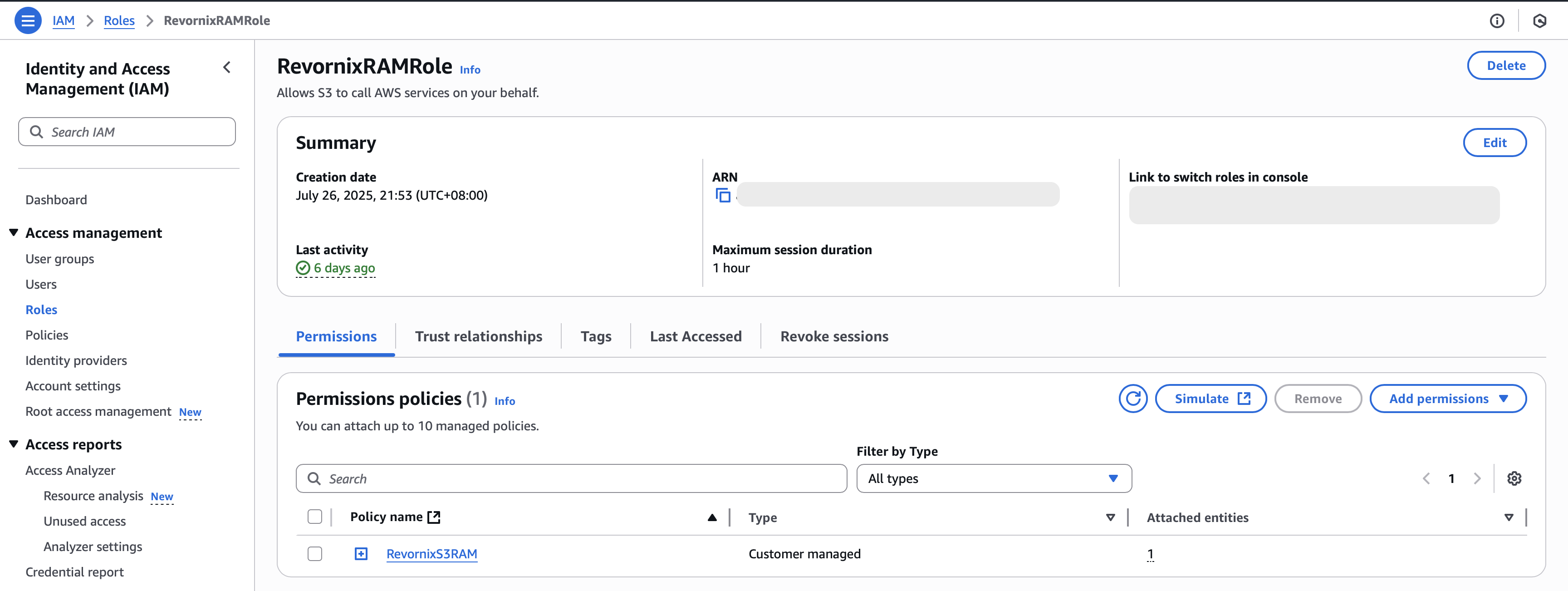
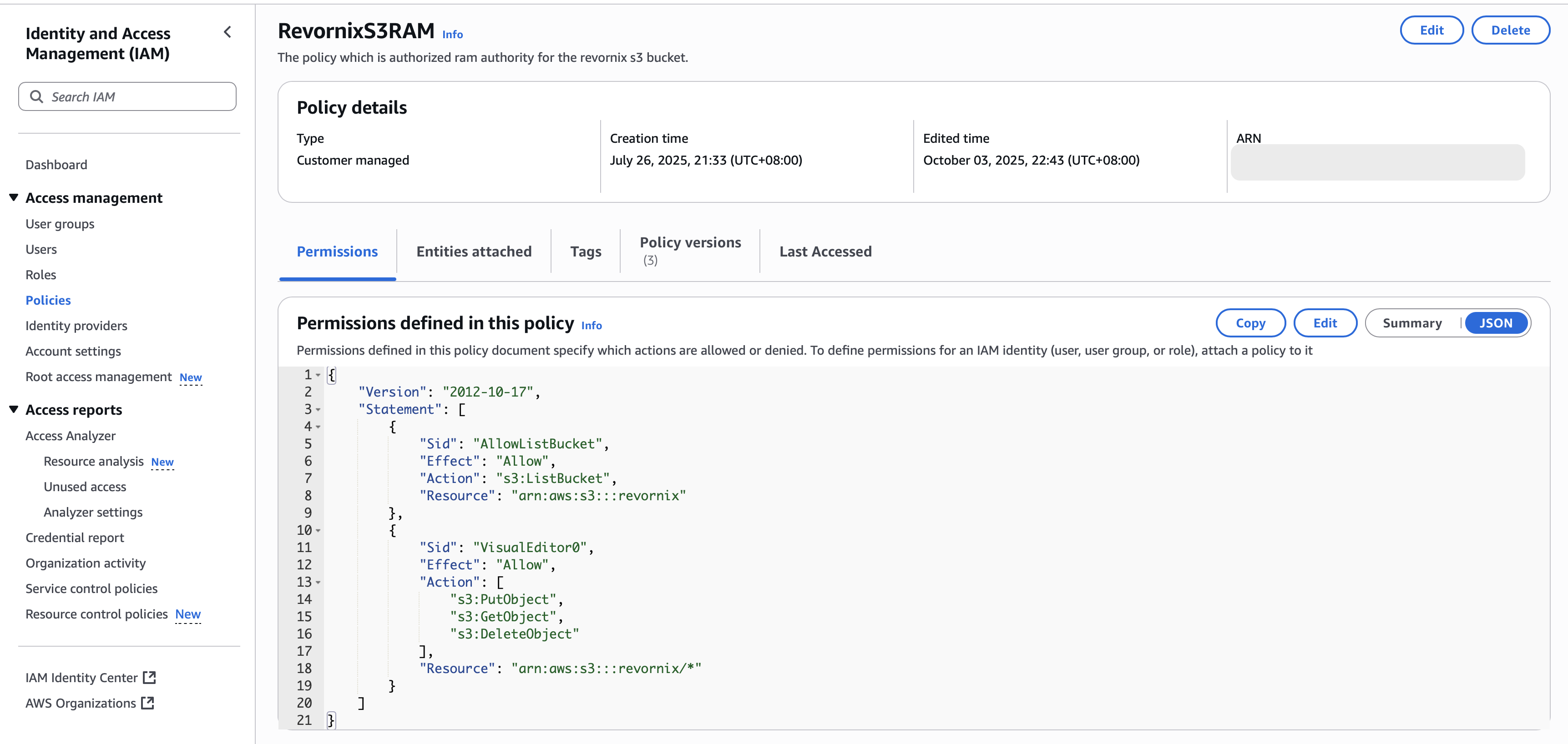
- Create a policy
Match the permissions and resources exactly as shown, and adapt to your resource group.
- Attach the policy to the role

- Grant the user permission to assume the role

AWS S3 storage parameters in Revornix
| Parameter | Type | Description |
|---|---|---|
| role_arn | string | ARN of the assumed role |
| user_access_key_id | string | User AccessKeyID, see user details |
| user_access_key_secret | string | User AccessKeySecret, see user details |
| region_name | string | Bucket region name |
| bucket | string | Bucket name |
| url_prefix | string | Public access URL prefix |
Generic S3-compatible services
Any service that supports the S3 protocol can use this method.
Note: with this method, the user needs full OSS permissions, including upload, download, delete, and list. Because the permissions are broad, I do not recommend it. If you must use another platform that is not officially supported yet, you can use this method temporarily.
| Parameter | Type | Description |
|---|---|---|
| user_access_key_id | string | User AccessKeyID, see the third-party user management system |
| user_access_key_secret | string | User AccessKeySecret, see the third-party user management system |
| region_name | string | Bucket region ID, if it’s Alibaba Cloud, it would be something like cn-beijing. |
| endpoint_url | string | The endpoint_url of the bucket, note that the https:// prefix is required here. |